
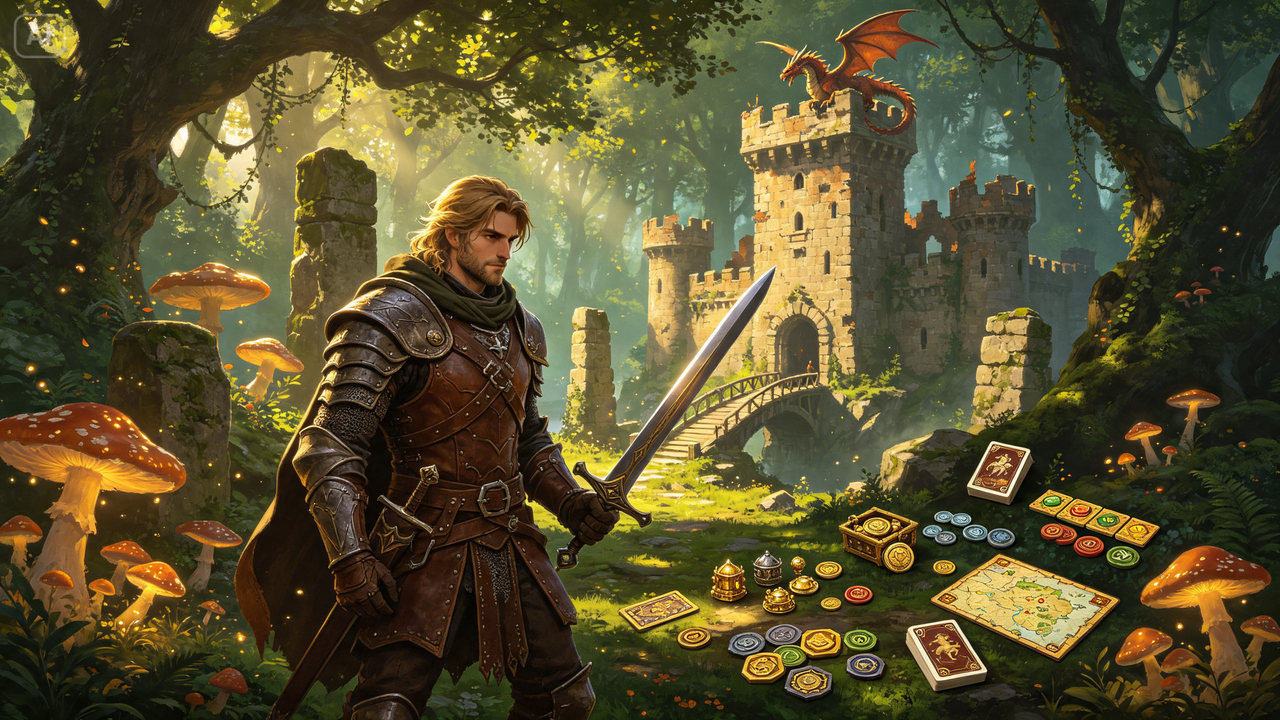
Anyone who has ever designed a board game knows the artwork is where the idea finally starts to feel real. A clever mechanic on paper is exciting, but a beautifully illustrated card, box cover, or game board is what makes players actually want to sit down and play.
Commissioning original art for every component, though, is often out of reach for hobbyists and indie designers working on a budget.
A powerful image generator closes that gap, and Dreamina in particular produces the kind of cohesive, game-ready illustrations that make a homemade prototype look like it belongs on a store shelf. Here’s how to design a full set of game-ready visuals.
Why consistent art style matters more than any single image
A board game lives or dies visually on consistency. If your character cards look painterly and your board looks flat and cartoonish, the whole experience feels disjointed even if each piece looks fine on its own.
Before generating anything, decide on one visual direction — painterly fantasy, clean vector, moody realism — and commit to it across every component.
Mapping out what actually needs artwork
Before diving into prompts, list every visual asset your game requires. This keeps the art style consistent and prevents last-minute scrambling.
- Character or unit cards
- The main game board or map
- Box cover and packaging art
- Icons, tokens, and smaller supporting graphics
Tackling these in a planned order — usually board and box first, then cards, then smaller assets — helps keep the overall look unified.
From concept to component in three moves
Dreamina makes producing a full set of game assets manageable, even for a solo designer.
Step 1: Write a descriptive prompt
Go to Dreamina and describe the specific component you’re designing, including character details, setting, and art style. If you already have one finished piece establishing your visual direction, upload it as a reference to keep new pieces consistent.
For example: A board game character card illustration of a person dressed as an elven ranger drawing a glowing arrow, misty forest background, painterly fantasy art style, rich green and gold tones, ornate decorative border.
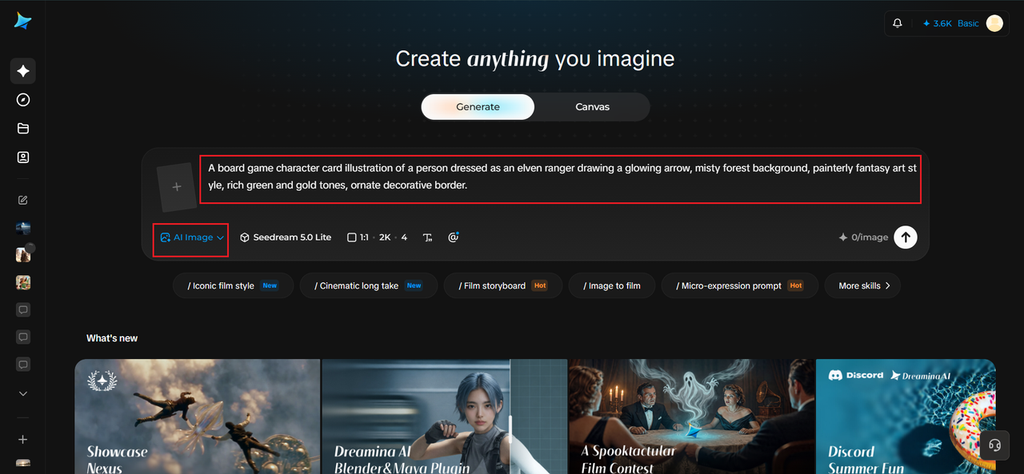
Step 2: Adjust parameters and generate
Select Image 5.0 Pro, powered by Seedream 5.0 Pro, for detailed, print-ready illustration quality, then set your aspect ratio to match your component — square for tokens, portrait for cards, wide for box art — along with canvas size and resolution, choosing 2K for anything headed to print. Click the generate icon to create your asset.
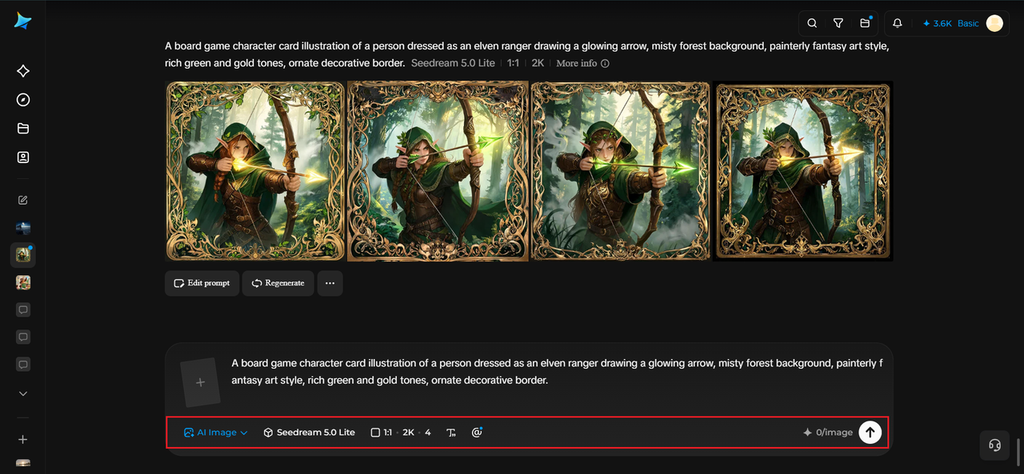
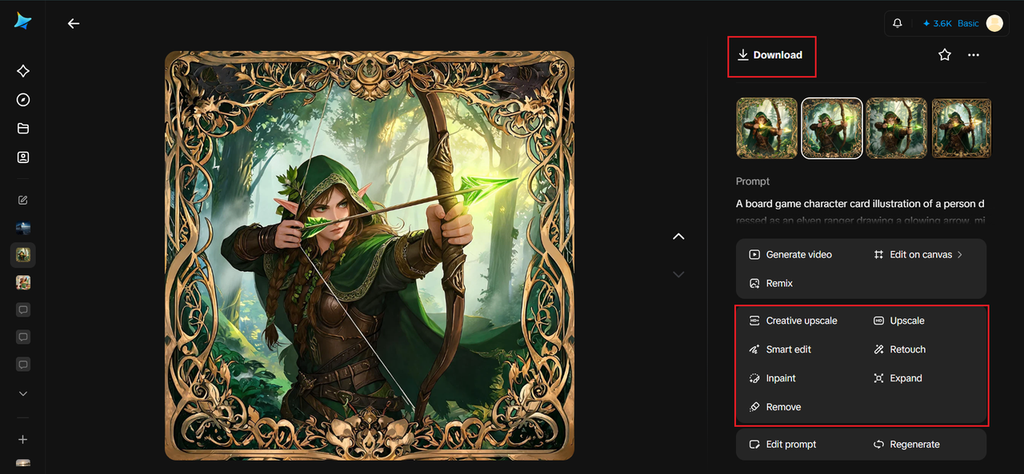
Step 3: Customize and download
Refine each piece with Dreamina’s tools: inpaint to adjust specific character or prop details, expand to extend backgrounds for box covers or boards, remove to clean up unwanted elements, and retouch for a final print-ready polish. Click Download once each asset is finished.
A closer look at Dreamina’s model options
Seedream 5.0 Pro
The newest and most capable model in Dreamina’s lineup, Seedream 5.0 Pro is the clear choice for hero assets like box covers and key character cards. It handles rich painterly detail, consistent lighting, and intricate borders or ornamentation with a level of polish that holds up even at large print sizes.
Nano Banana
A faster, lighter model well suited to producing smaller supporting assets — icons, tokens, and minor illustrations — where speed matters more than maximum detail, letting you move through a long asset list efficiently.
GPT Image 2
Particularly strong with detailed, multi-element prompts, making it a good fit for busier compositions like a full game board that needs to depict an entire landscape or layout in one image.
Designing cards that read well at a glance
Board game art has a practical constraint most other illustration doesn’t: it needs to be legible at a small physical size, often glanced at quickly during gameplay. Keep compositions relatively simple, with a clear focal point and strong silhouette, so the artwork reads instantly even on a small card.
Keeping your color language consistent
Assign consistent color families to different factions, resource types, or card categories early on. This kind of visual coding helps players navigate the game intuitively, often before they’ve fully learned the rules.
Where this artwork ultimately lives
Beyond the physical game itself, these assets get reused extensively:
- Kickstarter and crowdfunding campaign pages
- Social media teasers and playtesting updates
- Digital versions or companion apps of the game
- Convention booth displays and promotional banners
Designing visuals for factions in games
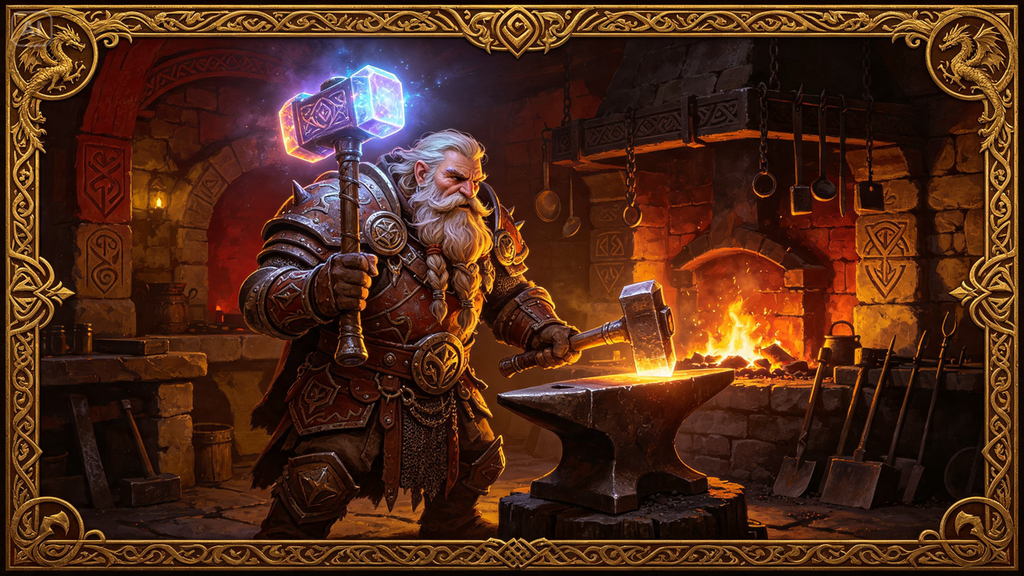
If your board game has a number of character groups, clans, or character types, their representations are able to convey the message about each faction even before its name is read.
Picture a unique representation for each faction preserving the style used in the overall visual presentation of the product; for instance, one group may be represented by rough textures and textured landscapes, while the other may use rich architecture, light effects, and ornamentations.
Making the game world go beyond the board
Being able to give visual information doesn’t mean that the visuals are limited to the tangible elements of the game. Once you discover the game’s visual language, it may bring you inspiration for creating character illustrations, images of different places, advertisement graphics, loading screens, and wallpapers.
Using the same visual style for the additional illustrations helps create a whole world instead of a number of separated elements.
Building a game that looks as good as it plays
Great mechanics deserve great presentation, and that no longer requires a full art department or a professional illustrator’s budget.
With Dreamina and the print-ready detail of AI algorithms, an indie designer can produce a cohesive, genuinely striking visual identity for their game — starting for free, one component at a time.
